Choosing a tablet for reading books, study materials and digital documents involves more than comparing processor specifications. For users who spend hours reading e-books, browsing articles or studying PDF files, display quality, screen size, text clarity and device weight can have a greater impact on everyday comfort than a high-performance chipset.
A powerful processor can make applications run smoothly, but it cannot compensate for a display that is difficult to read or a device that becomes uncomfortable to hold during extended sessions. Understanding these differences can help buyers select a tablet suited to their reading habits without paying for hardware they may rarely use.
Display Quality Is Central to the Reading Experience
The screen is the primary feature to consider when buying a tablet for reading. A clear display makes text easier to distinguish, while suitable brightness and effective reflection control can improve visibility in different environments.
Resolution is another important factor. Higher pixel density generally produces sharper text and finer details, particularly when reading small print or examining charts in academic documents. However, resolution should be considered alongside screen size and display quality rather than treated as the only measure of performance.
LCD and OLED panels can both provide a good reading experience. LCD tablets are often available at more affordable prices, while OLED displays typically offer deeper blacks and stronger contrast. The better option depends on the specific device, its brightness controls and the conditions in which it will be used.
Choose Screen Size According to Your Reading Needs
Screen dimensions can determine how comfortably a tablet handles different types of content.
Smaller tablets are generally easier to carry and hold for extended periods. They can be suitable for novels, short articles and everyday reading.
Larger displays are particularly useful for textbooks, scanned documents, research papers and PDFs. They allow readers to view more of a page at once, potentially reducing the need for repeated zooming and scrolling.
Aspect ratio also matters. A display shaped more like a printed page can be convenient for documents, while wider screens may be better suited to watching videos alongside reading.
Buyers should balance available screen space against portability, as larger tablets can be heavier and less convenient to hold for long sessions.
Eye-Comfort Features and Brightness Controls
Reading comfort depends on more than the panel's technical specifications. Brightness adjustment, reflection handling and colour-temperature settings can all influence the viewing experience.
A tablet with a sufficiently low brightness setting may be more comfortable in a dim room, while adequate brightness can improve readability in brighter surroundings. Reading modes and blue-light filters may also help users adjust the screen to their preferences, although they do not guarantee that eye discomfort will be prevented.
Taking regular breaks, adjusting text size and avoiding distracting reflections are useful habits during extended reading sessions.
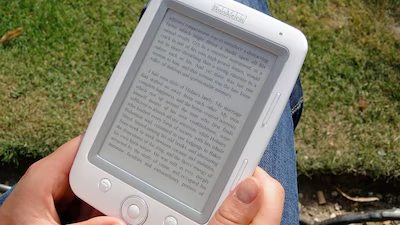
For people who primarily read novels and long-form text, a dedicated e-reader with an E Ink display may also be worth considering. These devices are designed to resemble printed paper, but they generally offer less flexibility for colour-rich content and general-purpose applications than conventional tablets.
Battery Life, Weight and Storage Also Matter
A tablet intended for daily reading should offer enough battery capacity to avoid frequent charging interruptions. Weight is equally important for users who prefer reading while travelling or holding the device rather than placing it on a desk.
Storage requirements depend on how the tablet will be used. Readers who download numerous textbooks, scanned documents and offline files may need more space than those who primarily access content online.
Stylus compatibility can be valuable for students who annotate PDFs, underline passages or write notes directly on documents. However, people who only read books may not need to pay extra for pen support.
Do You Need an Expensive Processor for Reading?
For ordinary e-books, web articles and PDF documents, a mid-range processor is generally sufficient. More powerful chips become useful for demanding games, intensive multitasking, video editing and other computationally heavy applications.
A sensible buying decision starts with the intended use rather than the highest specifications available. Readers should prioritise a clear display, comfortable handling, dependable battery life and suitable storage before spending extra on processing power.
Ultimately, the best tablet for reading is the one that matches the user's content, budget and daily routine. By focusing on display quality and practical usability, buyers can make a more informed choice without overpaying for performance they may not need.